U-M Google Updates

Folder sharing in Google shared drives now available!

Google has announced that you can now share folders in shared drives! Until now, all permissions were set at the shared drive level or the individual file level, and it wasn’t possible to share specific folders within a shared drive.

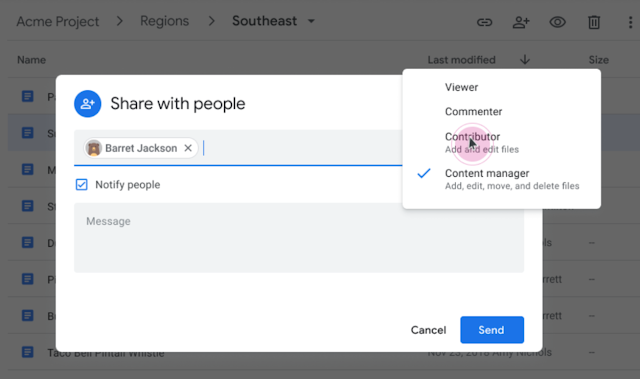
"Share with people" dialog box that appears when sharing a folder in a Google shared drive. Mouse pointer is hovering over "Contributor"

Important notes regarding this update:

  • Commenter role available in My Drive: To align My Drive and shared drives access levels, the Commenter role will now be available when sharing folders in My Drive. Previously, only Viewer and Editor roles were available.
  • Manager role needed to share folders: Folders in a shared drive can only be shared by Managers of that shared drive. Other shared drive access levels (e.g., Content Manager) are not eligible to share folders, because they aren’t allowed to control broad access to content. Folders in shared drives have the same access levels as the shared drives themselves, with the exception of the Manager. The Manager role is also required to move folders between shared drives and My Drive. You must be a Manager in both the original shared drive as well as the target location.
  • Folder access levels can only be expanded, not reduced, from the shared drive level: Access levels assigned at the shared drive level represent the minimum level of access users will have to all files and folders within that shared drive. As a result, a user’s access level for a folder within a shared drive can only ever be greater than the user’s access level for the shared drive itself.
  • Moving files/folders often changes content access: When shared files or folders are moved in, within, or between shared drives or from a shared drive to My Drive, inherited access to content will be updated accordingly, and direct access (i.e., access to a specific file/folder) will be preserved.

For additional information regarding Google shared drives, see:

According to Google, this feature began showing up in U-M Google on October 6, 2020, but could take 15 days or longer to become fully visible.

Use Jamboard with the new Google Meet integration!

Google has introduced a new Google Jamboard integration with Google Meet! You can now create or open an existing jam while on a Meet video call making it easier to collaborate in real-time, virtually. You’ll also be able to save, share, and continue working on the jam at any time in a new Meet session or at jamboard.google.com.

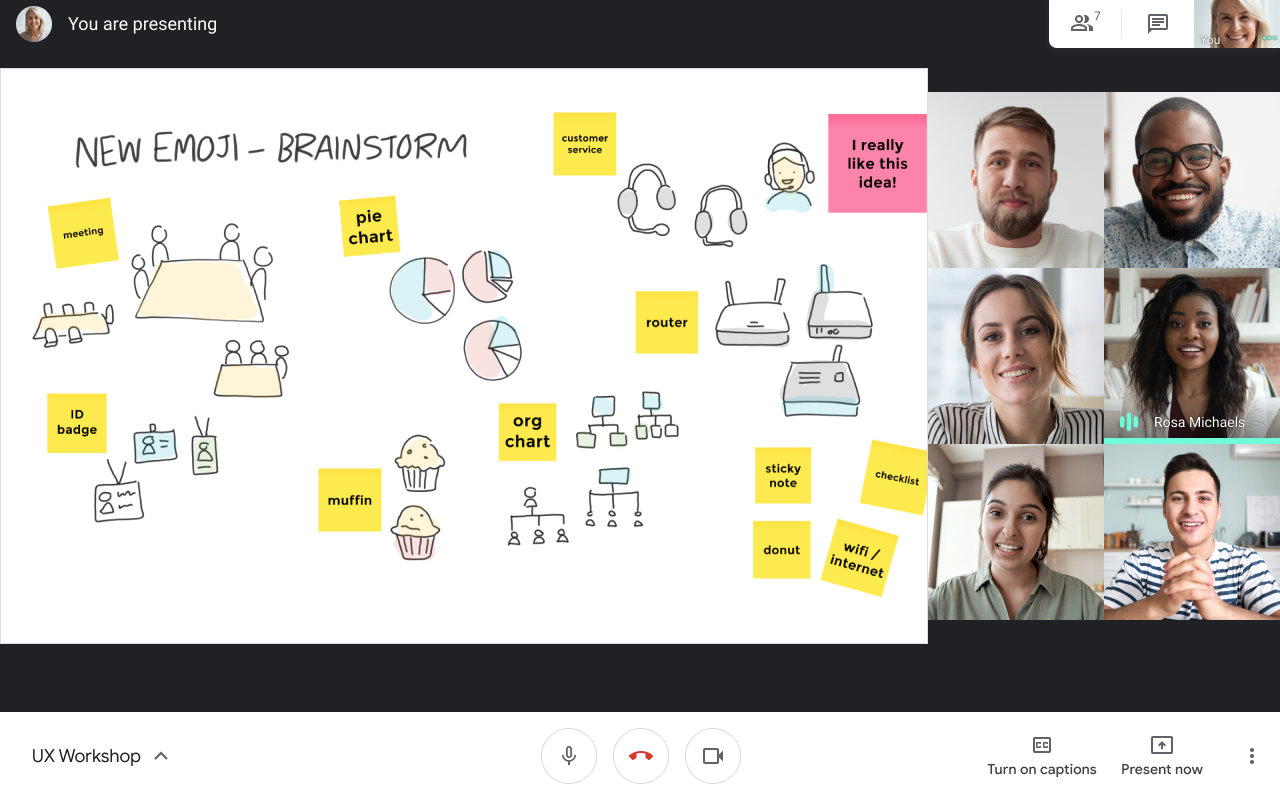
Google Meet session, Jamboard jam is visible in the left-center of the screen, participants are tiled on the right screen.

Note: You can only start or open a jam during a Google Meet session if you joined the call on a computer. Video call participants on a mobile device or tablet will receive a link to the jam file and be directed to the Jamboard mobile app to collaborate.

To learn more about “jamming” in a Google Meet, see Google’s Use a whiteboard in Google Meet documentation.

Visit the U-M Google Jamboard site for additional resources to help you get started using Jamboard.

According to Google, this feature began showing up in U-M Google on September 22, 2020, but could take 15 days or longer to become fully visible.

Google Drive will automatically delete trash after 30 days

Starting October 13, 2020, Google will automatically delete items in your Google My Drive trash after 30 days. Previously, items in your trash folder were retained indefinitely until you permanently deleted them. This change matches the policies of other G Suite products and services, such as Gmail, and will help make sure that items you trash are actually deleted as expected.

If you have not already, you may begin to see banners or pop-ups across Google Drive and Google Drive File Stream alerting you of the upcoming changes.

Screenshot of blue banner at top of Google Drive, states: "My Drive trash is changing. Starting October 13, items will be automatically deleted forever after they've been in your trash for 30 days. Learn more."

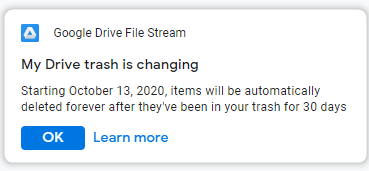
Pop-up on desktop when Google Drive File Stream is installed. Text reads: "My Drive trash is changing. Starting October 13, 2020, items will be automatically deleted forever after they've been in your trash for 30 days."

Any items already in trash on October 13, 2020, will remain there for 30 days. After the 30-day period, items that have been in trash for longer than 30 days will begin to be automatically deleted.

Furthermore,

  • These changes affect items that are trashed from any device.
  • Items deleted via Google Drive File Stream will be purged from the system trash after 30 days. There is no impact to Google Backup and Sync behavior.
  • Items in a Google shared drive’s trash are already automatically deleted after 30 days.

For more information, see Google’s Delete and restore files in Google Drive.

Reminder: Google Meet premium features end on September 30

At the beginning of March 2020, Google extended temporary access to some premium Google Meet features through September 30, 2020. Soon, a number of these features will be going away, and on October 1, 2020, the standard Google Meet features will return. See the table below to view the features that will be leaving and those that will take their place.

Now through September 30 October 1 and onward
250 maximum participants per session. 100 maximum participants per session.
Livestream a session to up to 100,000 viewers. No livestreaming available.
Record and retain sessions indefinitely in Google Drive (premium).* Record and retain sessions for 30 days (temporary).*

Recorded sessions can be downloaded or shared.

Note: Meetings recorded during the premium features access period will remain in your Google Drive.
Recorded sessions cannot be downloaded or shared outside of the University of Michigan.
*Important: According to Google, they will continue to offer free premium recordings until their new temporary recordings feature is available later this year. Once temporary recordings are available, the premium recordings feature will leave the U-M domain. With temporary recordings, you (as the host) will be able to record a meeting and share the recording within the U-M domain for up to 30 days before the video expires. However, temporary recordings cannot be shared outside the University of Michigan or downloaded.

Visit the U-M Google Meet website to learn more about the service.

Reminder: Only use Google apps with U-M Google

This communication is a reminder that using third-party apps to connect to a U-M Google account can lead to unexpected results. 

Google-created apps and applications provide the most seamless experience when using Google services, particularly with mobile devices. Google-created apps and applications are also supported by Google, whereas third-party apps are not. We strongly recommend that you only use apps and applications created and supported by Google to connect to U-M Google accounts for these reasons. (A web browser may also be used.)

Third-party apps and applications are created by a group or company other than Google (e.g., Apple Mail). Google does not support the use of third-party apps or incidents that might result from using them. Using apps not provided by Google is at your own risk and could lead to university data loss. We have seen issues related to the use of third-party applications when used with Google services.

Some reported issues include:

  • Email and calendar events are permanently deleted.
  • Inaccurate calendar notifications sent to event invitees.

These issues have occurred using an iPhone or iPad and Apple’s native mail and calendar apps. However, unexpected behavior is not limited to iPhones and iPads. Third-party desktop applications such as Apple Mail and Calendar or Microsoft Outlook may also cause unexpected behavior.

Be aware of the apps you use with your U-M Google account. Google provides and supports apps for Gmail, Calendar, Drive, and more in the Apple App Store and Google Play Store. Using only the apps provided by Google ensures that we can get support from Google when issues arise.