U-M Google Updates

Classic to New Sites Conversion Tool

Google’s automatic migration tool to transfer from Google classic Sites to new Sites has started showing up in the UMICH domain. The tool makes it quicker and easier to move sites by automatically creating a draft of the classic Site in new Sites. This new draft will have the updated look and feel of new Sites, and contain the content from the classic Site. When the new Google Site is ready to go live, it can either be published to the URL of the classic Site (to replace the original and automatically redirect viewers,) or published to a new URL.

You can use the Help Center to find out more about how to convert a classic Site to a new Site and what to expect when you convert a site.

New Out of Office Google Calendar Features

Google has updated Google Calendar with a new out of office option and customizable working hours.

Indicating out of office time

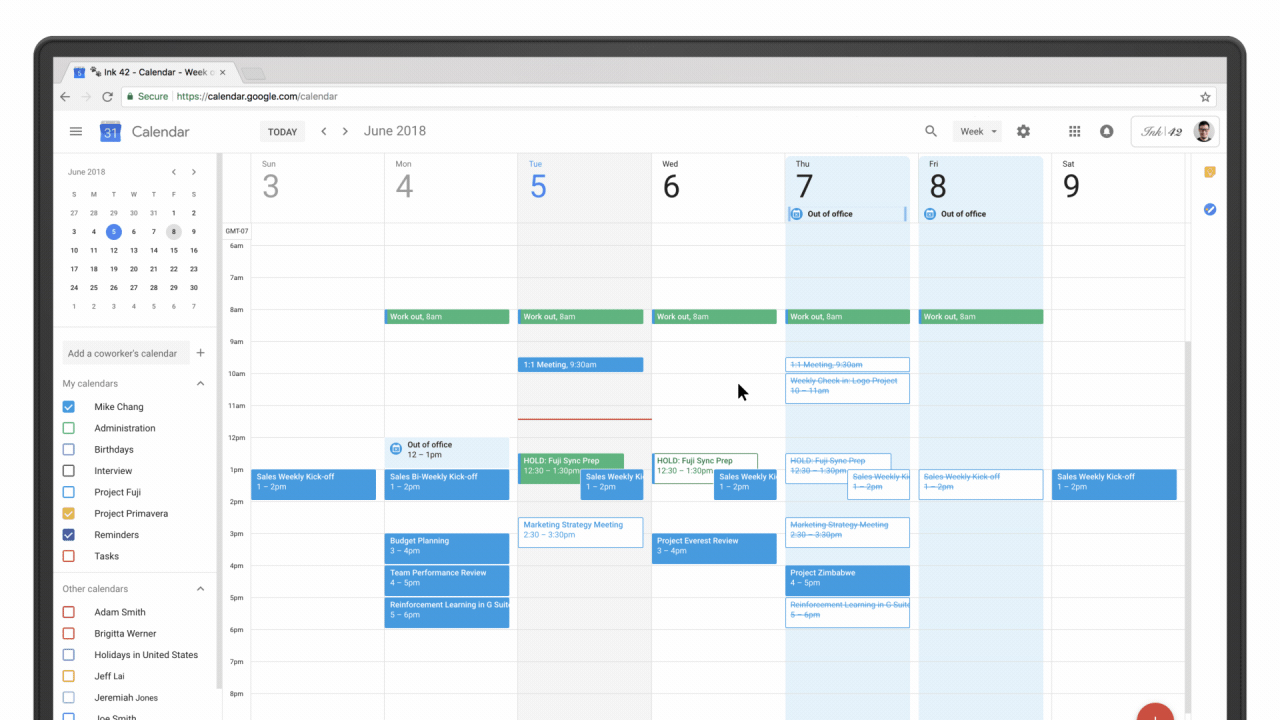
When creating an event on the web, select the “Out of office” Calendar entry type. The out of office option will have a different look on the Calendar, showing others your availability. Meetings during times you are unavailable will be automatically declined. The decline message can be customized and you can edit the visibility of your out of office indicator.

Note: Based on the title you enter, Google Calendar may automatically try to guess the best event type when you’re creating an out of office indicator. You can always correct what Google suggests for an event type, if needed.

Out of Office

Showing work hours

Once you have set your work hours, people who try to schedule meetings with you outside of your hours will be informed that you are not available. 

Note: Based on your timezone and past scheduling patterns, Google Calendar may guess your working hours. You might see a prompt asking you to set them, and you can further customize them as needed. 

U-M Google June Summary

The monthly U-M Google Summaries inform campus of Google releases for Core Apps as well as the Non-Core Apps (those that are not part of the G Suite for Education agreement). We communicate important information on Core Apps throughout the month. Core and Non-Core Apps are listed on the G Suite website.

Core Apps

Note: Keep in mind that even when Non-Core Apps are found in a Core App (like Google Drive), they are not covered by the G Suite for Education agreement.

Timeline For The New Gmail

Since June, U-M has been part of the Google Early Adopter program that lets people test the New Gmail, and switch between Classic Gmail and New Gmail. There’s been a lot of interest in the New Gmail interface, but until now a timeline for launch had not been firmly established. The timeline looks like this:

Early July 2018 Official Launch of New GMail Interface
(Early Adopter Program ends)
2 Months after Launch (September)

Google automatically switches everyone to new Gmail
You can still opt back to “Classic Gmail” for 1 month

3 Months after Launch (October) Everyone permanently switched to New Gmail
Please note: Google could change their above estimated timeline at any time. We will keep you updated!

To learn more, watch a recording of the webinar we broadcast on using the new Gmail!

Include a Message When Changing Meeting Details in Google Calendar

Google is making it easier to communicate changes to a meeting in Google Calendar. Now, when you change or delete an existing meeting, a dialog box will appear asking if you’d like to send updates to the existing guests. The message you enter will be sent to all people included in the meeting event.

After the message is sent, the other guests will see the message in the email they receive alerting them to the updated meeting details.