U-M Google Updates

New Team Drives Role and Names

A new “Content Manager” role is coming to Team Drives. Along with this new role, Google will also update the names of the existing Team Drives membership roles. New names for roles in Team Drives will start to appear on October 17, 2018. The new role will start to become active on October 22, 2018. 

Here’s what to look for and what to expect:

New Names for Existing Team Drives Roles

The existing roles for Team Drives members will get new names:

  • “Full Access” will now be known as “Manager.” 
  • There will also be a new role, “Content Manager.” See below for more details. 
  • “Edit Access” will now be “Contributor.” 
  • “Comment Access” will now be “Commenter.” 
  • “View Access” will now be “Viewer.” 

See the Google Learning Center to learn more about roles and permissions in Team Drives.

Content Manager: A New Team Drives Role 

The Content Manager role will be able to edit, reorganize, and delete content in a Team Drive, but won’t be able to modify Team Drive membership or settings. The Content Manager role will replace “Full Access” as the default for new Team Drive members. Google Drive File Stream users may also make use of the Content Manager role, as it will make it easier to manage Team Drive files through the computer’s file system or the Google Drive web interface. 

Here is a breakdown of the roles in Team Drives and what they are able to do:

Previous Role New Role Permission and Abilities
Full Access Manager

Can manage membership, edit, upload, move, and delete files.


Content Manager


Can edit, upload, move, and delete Team Drive content, but they won’t be able to modify Team Drive membership or settings.

Edit Access

Contributer Can edit, upload, share, and restore files/folders.
Comment Access

Commenter

Can view and comment on files/folders.
View Access Viewer Can only view files/folders.

REMINDER: New Gmail Becomes Permanent Starting Today

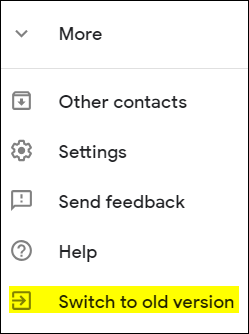
As first communicated on August 14, Google announced the new Gmail cutover dates. This is a reminder that according to Google, beginning today, Tuesday, October 16, everyone will start to be permanently migrated to new Gmail, and the “classic Gmail” interface will no longer be available. This should slowly roll out to the UMICH domain today, and over the next few weeks.

New features include:

  • Smart replies (similar to the Gmail mobile version)
  • The option to snooze emails (as with Google Inbox)
  • A new tool panel on the right side of the interface for easy access to Tasks (also revamped) and Calendar

Reminder: Convert Google Classic Sites to New Sites

As first announced July 18, Google has an automatic migration tool to transfer from Google classic Sites to new Sites. Although Google has not yet announced a date to end classic Sites, we strongly encourage you to begin converting your classic Sites. This will help avoid a last minute rush and possible loss of your Sites content. A new Site can either be published to the URL of the classic Site (replacing it) or published to a new URL.

You can use the Help Center to find out more about how to convert a classic Site to a new Site and what to expect when you convert a site.

New Ways To Create, Edit, And Share Jamboards On The Web

Hello,

Google is adding two features for Jamboard that will help make collaborating easier and give you more control when you share your work by creating and editing jams from the web.

Create and edit jams in a web browser

Now, you can create and edit your jams on the web. Everybody on your team can join in and collaborate on a session in their web browser. This means that anybody in the meeting can participate, whether they want to edit a sketch from a laptop or add sticky notes during a meeting.

Share and protect work with View Only mode

If you want to share something with others that they can view but not edit, View Only mode is now available for just that. With View Only mode, you can share something and set exactly who has edit access. This is similar to Docs, Sheets and Slides. This will provide a consistent experience no matter what you’re creating and sharing.

REMINDER: New Gmail Starts to Be Permanent Next Week

As first communicated, on August 14, Google announced the new Gmail cutover dates. This is a reminder that beginning Tuesday,October 16, everyone will start to be permanently switched to new Gmail as “classic Gmail” will no longer be available. This should slowly roll out to the UMICH domain over the next several weeks. 

New features include:
smart replies (similar to the Gmail mobile version)
the option to snooze emails (as with Google Inbox)
a new tool panel on the right side of the interface for easy access to Tasks (also revamped) and Calendar

Interested in our latest updates about Google G Suite at U-M? Check out the Google Service Updates page.